
Hawk AI Overview
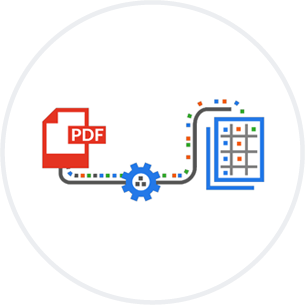
Data Capture
Standard process to extract data from PDF files or HTML pages. If structure is available then some fields will be stored separately or images can be extracted. Otherwise all content is stored as a single field in the index. Some categorization can also be collected from structured file content, directory structures or other processes. PDF screenshots are also created during this process.

Concept and Visual Search
All content collected and generated by the first two processes is converted into vectors for Concept Search (note that as part of this PoC we did also create vectors for the screenshots of the PDFs). When a question is posed, the first step is to make a request to the repository to find the appropriate document. If the data is found in multiple documents then both are aggregated in the results. The results are shown on the page with a thumbnail of the PDF file and the synopsis generated by the GenAI.
Smart Response
When the appropriate content is returned, it is then run through a prompt that explains to only answer the question with the content in the index that was returned and then provide the appropriate response to the question. If the question can not be handled by the Smart Response process with a high enough level of confidence, then no response is provided. The additional info and links would only point to information in the index.

Initial GenAI Analysis
This can be helpful to enrich content in the indexing feed if necessary. The fields in the indexing feed can be sent to a AI Agent for enhancing the description or other fields in HawkSearch. This is not necessary for this implementation – it’s only an option.